Rebuilding the field side of a property compliance product
Rebuilding a property compliance app around how its users actually work in the field. PM + UX, Android and tablet.
Role: UX & PM lead, directing one UI designer through visual design, design-system work, and engineering handoff ·Team: UI designer (my side); product and engineering (client side) · Timeline: 1 month | Platform: Android (mobile and tablet) · Domain: Property risk and compliance management · Client: UK property risk and compliance SaaS
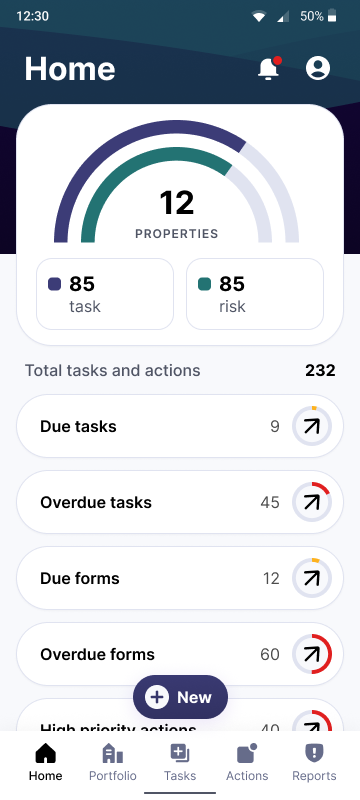
The Problem
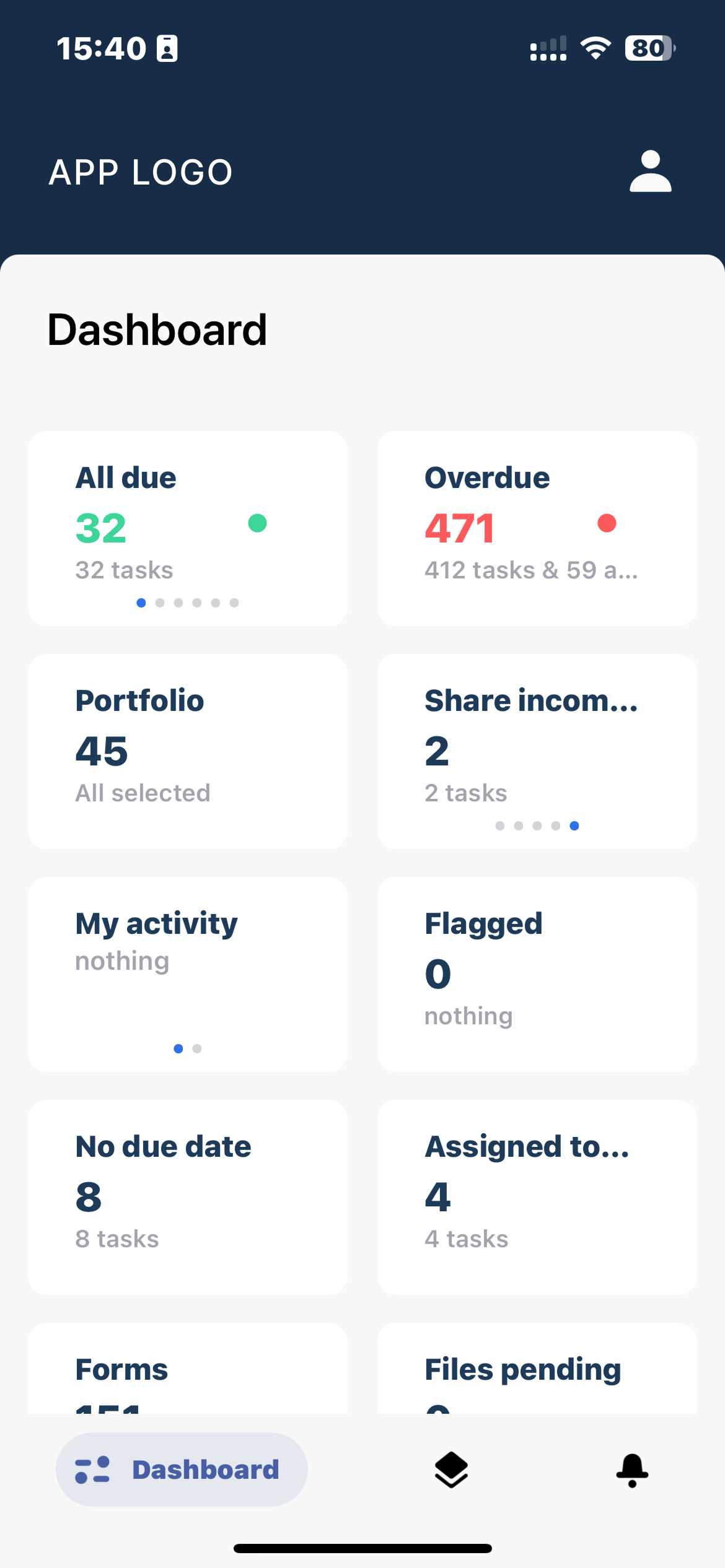
Dashboard
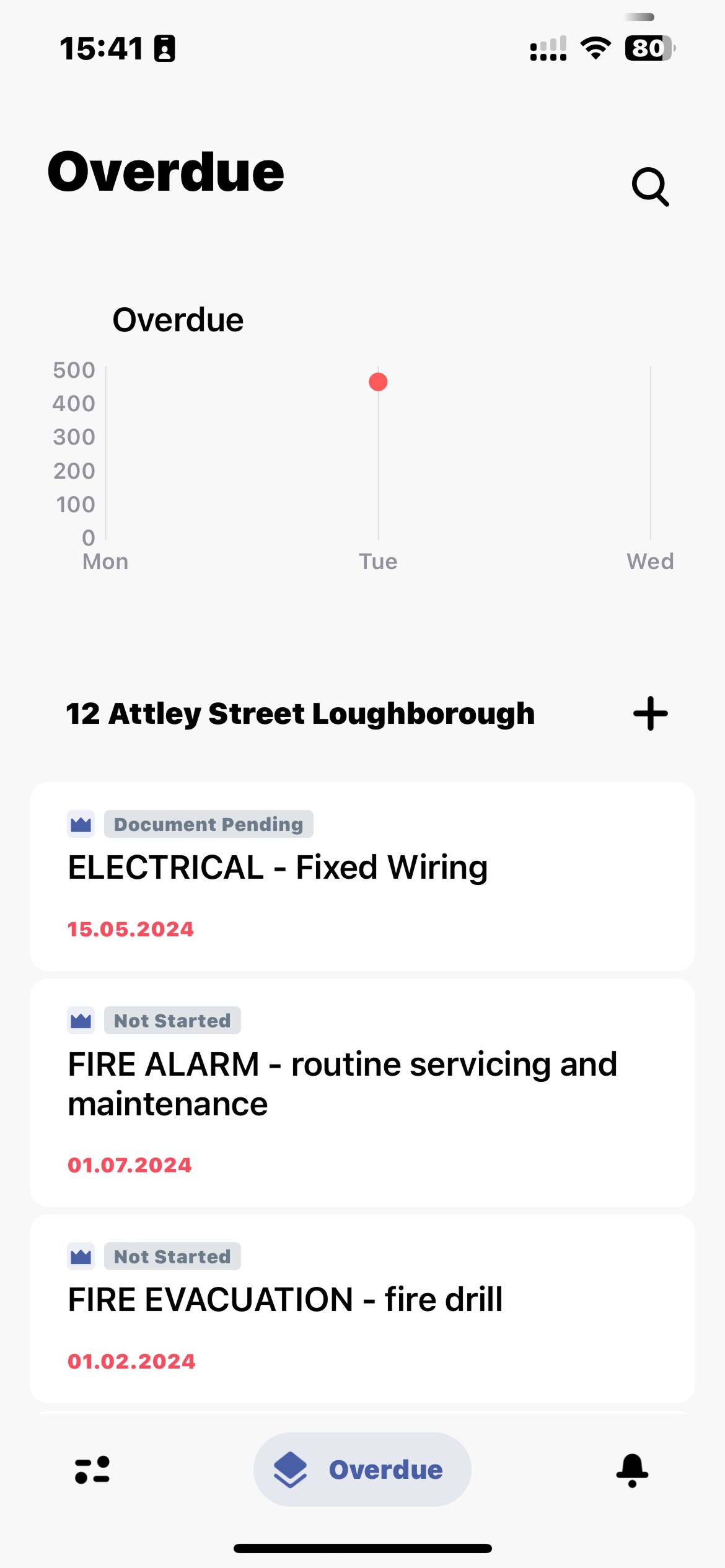
Overdue item (tasks, reports etc)
The client had a SaaS platform for property risk and compliance management. The web portal - used by directors and portfolio managers from the office - was the mature side of the product. The mobile app was the field tool: property managers doing site visits, inspections, and incident logging on the ground. Adoption was low. Most managers avoided the app when they could, and many were waiting until they got back to a desktop rather than try to do things on their phone.
The deeper issue was strategic. The original app had been designed years earlier with the intention of doing everything the web platform did. That intention had aged badly - loading the app could take ten minutes on a manager's regular phone, because it was effectively pulling the web portal into the device. The product team had since landed on a sharper version of what the mobile app should be: not a smaller web portal, but a focused tool for the things you genuinely couldn't do at a desktop. A Facebook mobile, not a Facebook web shrunk down. The redesign needed to make that strategy real.
Two tangible pain points expressed the same underlying problem. The dashboard was full of widgets a field worker neither needed nor could act on. And the offline behaviour was broken in a way that mattered for field use: the app downloaded the entire property portfolio for offline access, which took a long time for managers with large portfolios, wasted device storage on properties they had no plans to visit, and still produced sync edge cases when people went into basements or signal-dead corners. For a tool whose reason to exist was field use, both were existential.
Note: I also led the redesign of the same client's web platform and its tablet adaptation as a separate parallel engagement; this case study covers the mobile project specifically.
Research and discovery
I led the user research and the redesign. The client gave us access to two distinct user types - property managers (mobile-heavy, field-based, an average of 12 properties under management, 1–2 site visits per day for monthly or weekly inspections) and directors and portfolio managers (web-portal users, office-based, who almost never opened the mobile app). The directors were higher in the organisational hierarchy; the property managers were the people the mobile app actually served.
That distinction shaped one of the early design judgments. The pull on a product like this is to design for the most senior stakeholder, because they're the ones who paid for it and who provide the loudest feedback. I designed for the property manager instead - the person actually opening the app at 9am in a property carpark with a clipboard of inspections to run. If the field experience worked, adoption would follow; if it didn't, no amount of director-facing polish would move the numbers.
The other major piece of discovery was an audit of the existing dashboard against actual field workflow. The dashboard was full of widgets - most of which the property manager either didn't need in the field or couldn't act on from the mobile. What they actually used the app for was three things: completing scheduled tasks (recurring date-driven events with review cycles, like checking fire alarms), closing actions (the one-off things those tasks generate, like replacing a battery), and filling out the inspection forms that surfaced both. Everything else was noise.
Key decisions and tradeoffs
Selective offline sync, not whole portfolio sync
The existing model pre-downloaded every property in a manager's portfolio for offline use. 95% of clients managed portfolios under 800 properties, but the exceptional cases reached 3,000–3,500 — and even at typical scale, the pre-download was the slowest part of the daily workflow, ate device storage on properties no one had any plans to visit that week, and still produced sync edge cases in basements and signal-dead corners. We changed the model: users mark the properties they're visiting that day or that week, and the app prioritises those for offline availability. The deeper portfolio data is still reachable when there's signal, but the daily field experience is now predictable and fast.
The tradeoff was a small amount of pre-trip setup — users now decide what to sync rather than assuming everything is available. In exchange, the field experience became dependable: nothing surprising the user when they need the data, no waiting for a slow sync at the start of the day. For a tool whose value lives in being usable when there's no signal, predictable offline behaviour was the whole point.
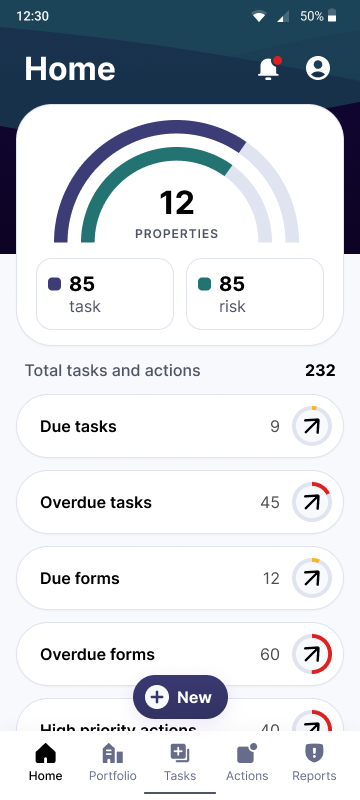
Home pageForms as the main interaction surface
Site inspections happen primarily through forms. These are structured sections and subsections with positive and negative answers, skippable sections (clearly marked), and a scoring model where positive answers contribute to a final compliance percentage. Since this was where field workers spent most of their time in the app, the form interaction was where most of our design attention went. We tightened the structural hierarchy, made section skipping obvious, improved progress feedback so users knew where they were in long inspections, and made the scoring visible enough that users understood how their answers were shaping the outcome. It’s worth mentioning users would simply rely on PDF documents before this, so this functionality was critical to them.
Cross platform considerations
The app needed to work on both mobile and tablet. Property managers used phones for quick checks and incident logging, and tablets for longer inspection sessions where the bigger screen made form-filling less tiring. The form interaction in particular needed to scale cleanly between the two - we made layout decisions that respected the larger reading distance and palm-position on tablet without fragmenting the design language.

Select properties to load offlineStripping the dashboard to three things
Actions, tasks, and forms - the three things property managers actually did in the field - became the entire top-level dashboard. Everything else was either removed or pushed deeper. Directors who occasionally opened the mobile would see less, but they had the full web portal for the broader view, and they weren't the user we were designing for. Subtraction was the design move here.

Form overview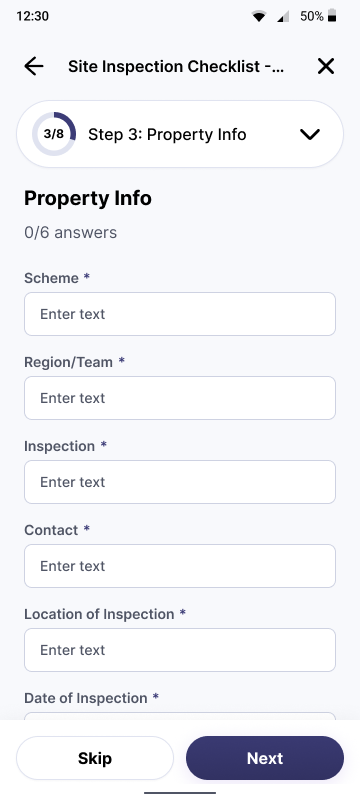
Form section - Text input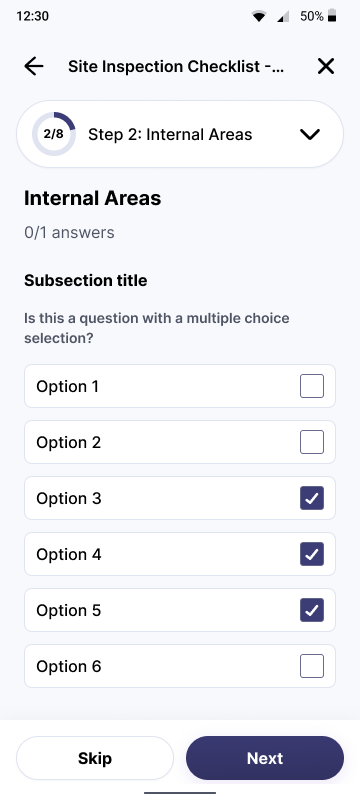
Form section - Multiple selectWhat shipped
A redesigned Android app, with tablet support, built around selective offline sync, a focused three-thing dashboard, and a rebuilt form interaction.
A refreshed visual treatment that lifted the system into line with the strength of the underlying product.
Selected screens
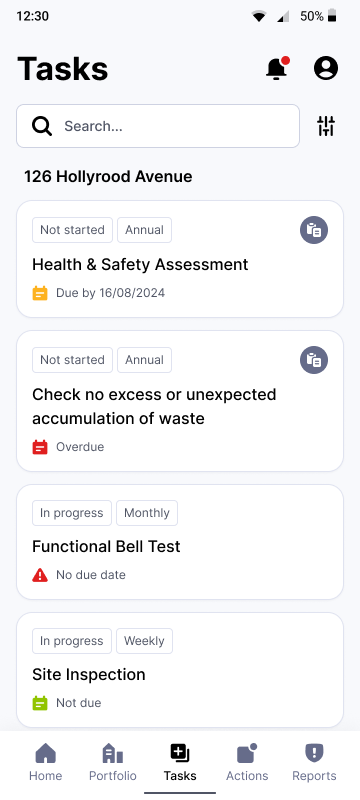
All tasks page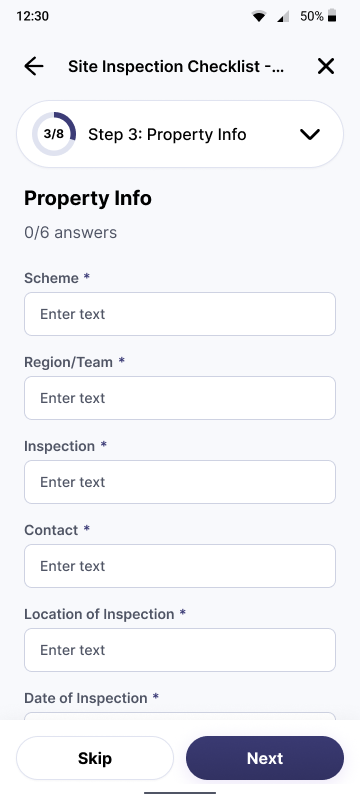
Form section - Edit property info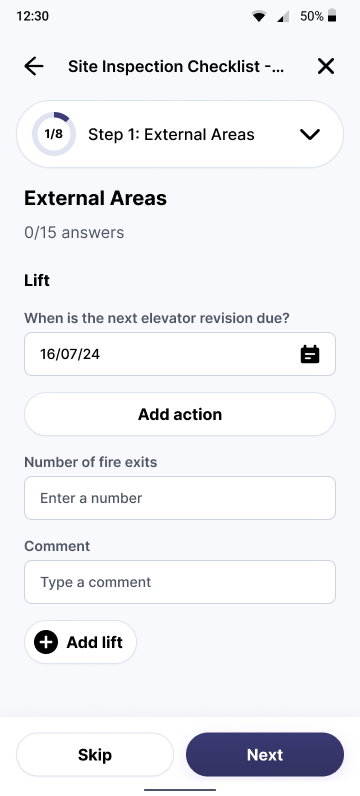
Form section - Duplicable asset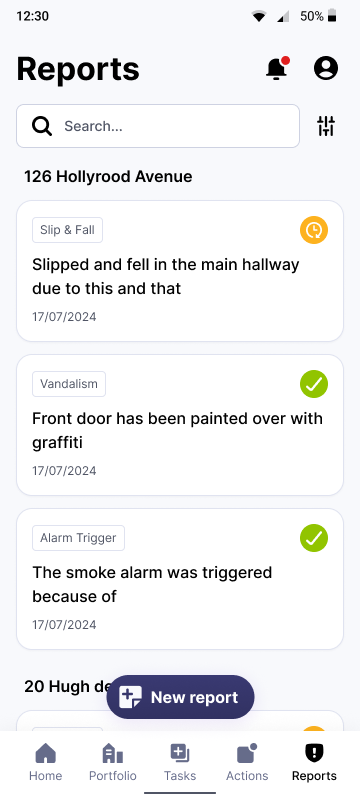
All reports pageDesign direction & Handoff
I led the UI execution alongside the UX. Once the final UX was approved, I set the visual direction and briefed the UI designer on my side, then checked each screen against it, watching in particular how the design language held as it scaled between phone and tablet. I owned the handoff to the client's product and engineering teams, so what they received was a coherent, build-ready system rather than a set of loose screens.
Outcomes and reflection
The thing this project clarified for me: design for the person who actually uses the product, not the person whose title implies they should be the primary user. The directors had organisational weight, but the property managers were the ones the app served, and the only way to move adoption was to take their field experience seriously. Once we did that - through selective offline sync, a dashboard that respected what they actually had to do, and a form interaction tuned for inspections - the rest followed.
More property managers started using the mobile app after the redesign, showing that adoption moved in the direction the client cared about. More inspection reports were being filed than before, which translated directly into the compliance data the rest of the platform existed to manage. Ease-of-use feedback from users came back positive across the field.
The other thing I took into later work: subtraction is often the strongest design move. Removing four widgets from a dashboard isn't glamorous, but it can do more for adoption than adding any number of new features.